
desktop music player

local music made cute.

local files · real library · no streaming clone

localtify turns the songs already on your PC into a proper music library — with playlists, downloads, cover art, themes, Discord presence, and smooth offline playback.

Localtify character artwork

real app screenshots

Your library, finally pretty.

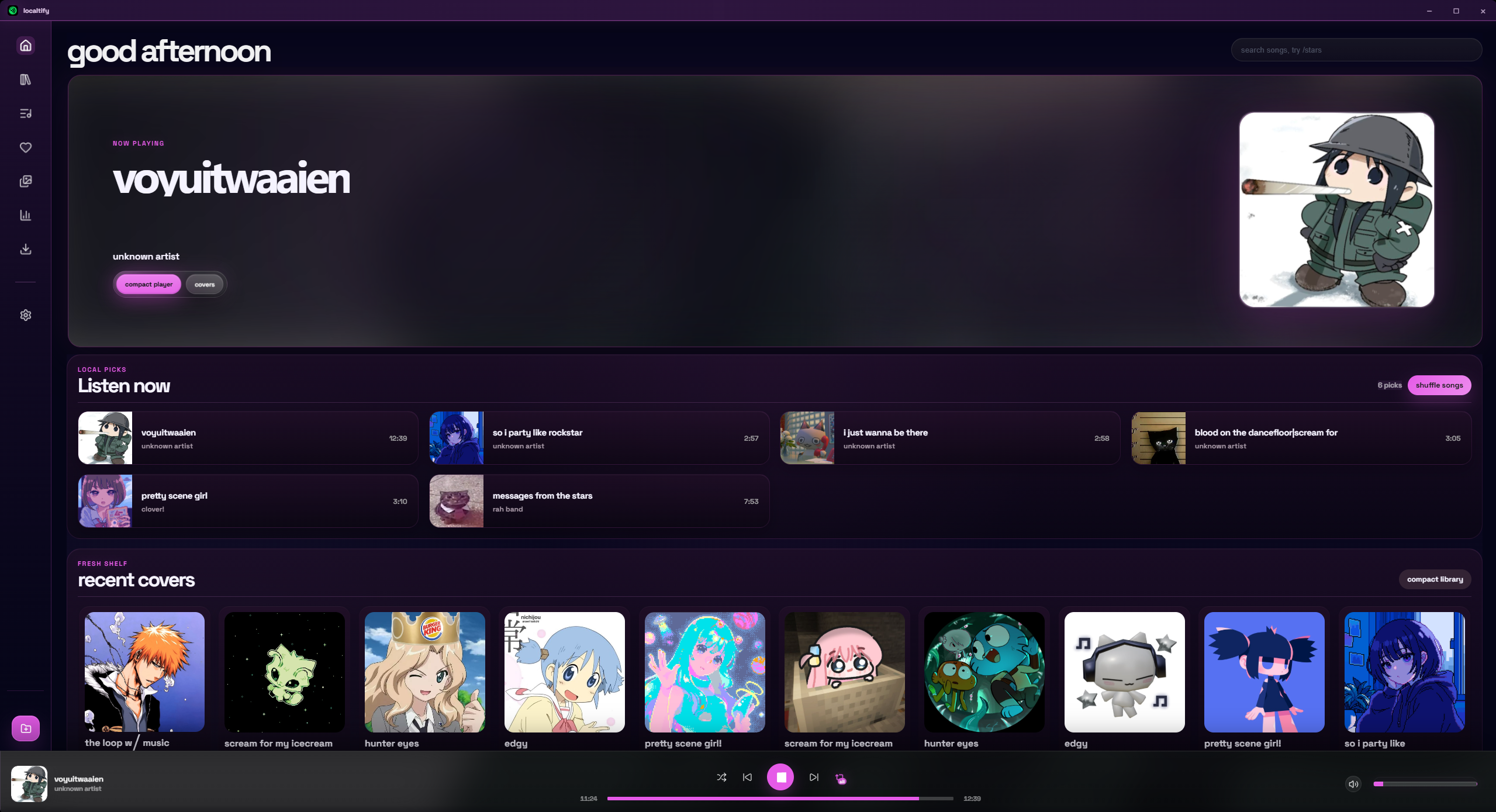
Browse the real Localtify build — home, playlists, downloads, and settings — with the same soft desktop polish users see inside the app.

Localtify home and library screenshot
Home / library

finally completed

Test out my local music player.

Localtify was built after months of bug fixes, performance work, UI cleanup, cover polish, playlist fixes, and update-screen improvements.

  • local files music for downloaded and imported songs
  • library playlists, liked songs, queue, shuffle, repeat
  • downloads YouTube and Spotify playlist download workflow
  • covers pixel art covers, custom covers, gallery, randomizer
  • discord Rich Presence with privacy and visual settings
  • updates smoother release popup and installer flow

main features

Made for your own library.

Everything is built around making local music feel modern, personal, and smooth.

01

Local playback first

Built around real files on your PC, saved metadata, offline playback, and a library that does not feel old or boring.

02

Playlist flow

Create playlists, use liked songs, manage queues, shuffle, repeat, and keep your collection organized.

03

Download tab

Add songs faster with the app’s YouTube download and Spotify playlist importing/downloading workflow.

04

Cover system

Pixel art covers, custom album covers, cover gallery, and cover randomizer support for a more personal library.

05

Discord presence

Show “Listening to localtify” with privacy controls, paused status, buttons, and artwork settings.

06

Visual settings

OLED dark UI, smooth motion, themes, sidebar options, update polish, and cleaner user-facing controls.

pixel cover strip